
The creator page
Every creator has one page: the videos you uploaded for them, newest first, the platforms they post to, and the drop zone where new videos go.
Open a creator from Creators, or from its card on Today.
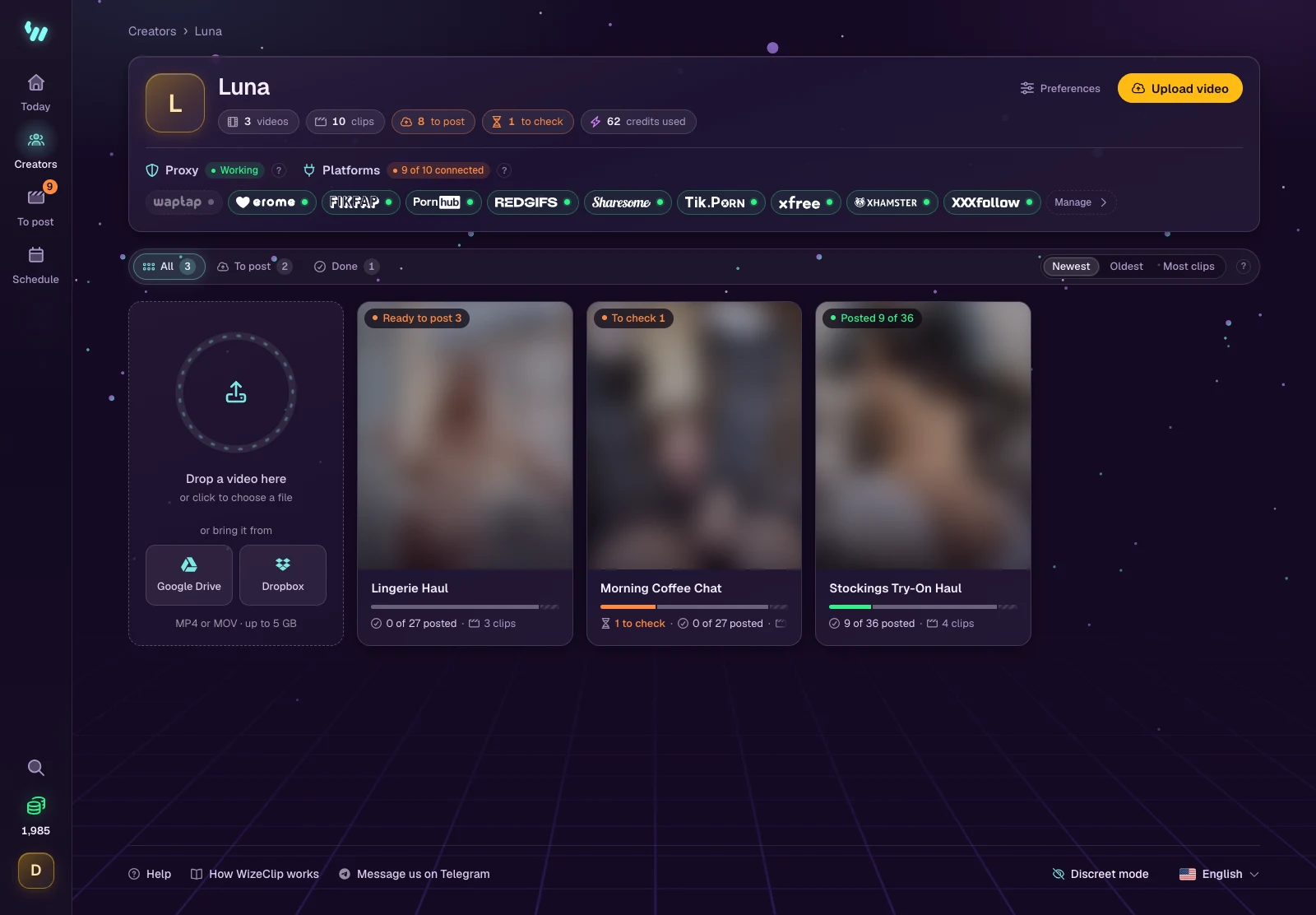
At the top
- The counts: videos, clips, failed posts and posts this week.
- Preferences, for how WizeClip cuts and captions for this creator. See Creator preferences.
- Upload video. See Uploading a video.
- Proxy: whether the creator has a proxy and whether it works. See Proxies.
- Platforms: one pill per platform. Green means WizeClip can post there right now; orange means the sign-in expired. Manage opens the platforms page.
The videos
Each card shows where the video has got to (cutting, clips to check, ready to post, posting, published or failed) and how many of its planned posts went out.
- Filter with To post, Cutting, Posting, Failed and Done.
- Sort by Newest, Oldest or Most clips.
- Open a video to see its clips and post them. See Clips ready to post.