
Schedule and history
The Schedule shows a week of posts set for a time, one card each. History lists what went out, what failed and what came off the schedule.
The week
Schedule, in the menu, shows the posts set to go out at a specific time, a week at a time: one card per post, with its time, clip, creator and platform.
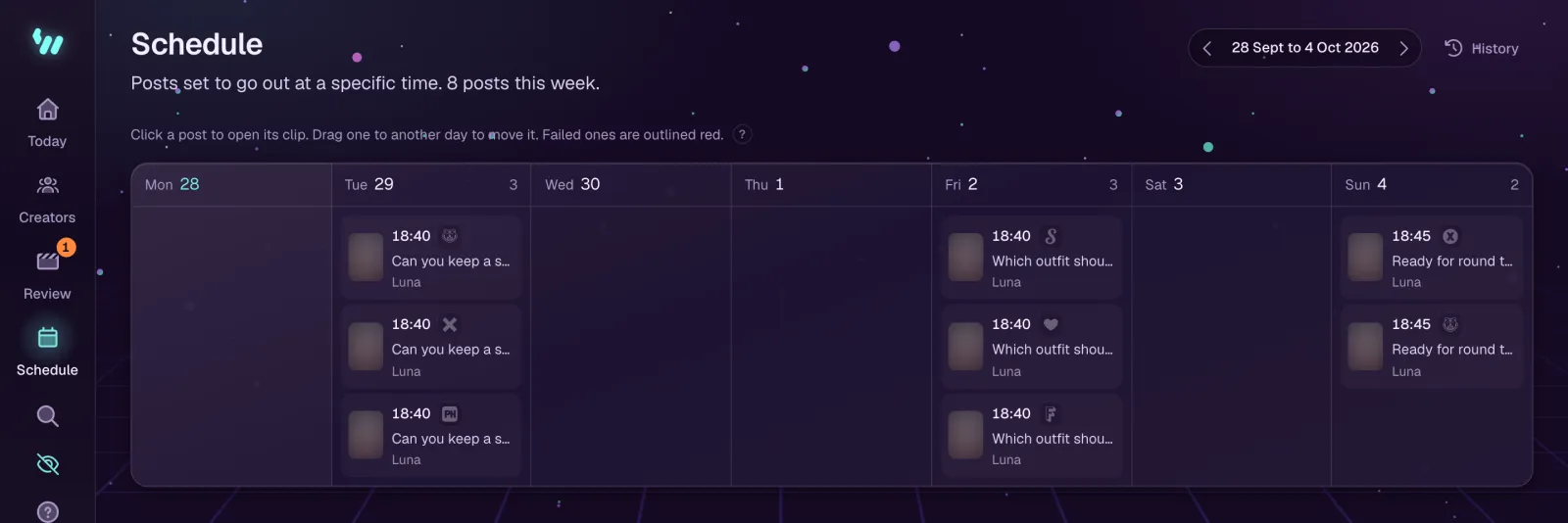
- Click a post to open its clip.
- Drag a post to another day to move it.
- Failed posts are outlined in red, and finished ones are dimmed.
- The arrows move between weeks. When the current week is empty, the page points you to the next week that has posts.
History
History, at the top of the Schedule, lists every post that went out, failed or came off the schedule, newest first, and can show each of those on its own. A failed post shows what the platform answered. A post taken off the schedule never ran, and its row says why.