
Getting started
Create your account, choose a plan and add your first creator. The creator's page then lists the four steps left before the first clips go out.
Create your account
Sign up at app.wizeclip.io with your email and a password of at least 8 characters. WizeClip emails you a link to confirm the address, and you can sign in once it is confirmed.
The sign-up form also asks for a Telegram handle. It is optional. If you add it, someone from the team gets in touch there to help you set up, and it is how we reach you if a post stops going out.
Choose a plan
The first screen asks you to pick a plan (the app calls it a membership). The rest of WizeClip opens once you have chosen one; Help stays open in the meantime.
- Free is one click and needs no payment. It gives you credits once, to use within your first month, with posting included. They are not renewed: when they run out, or the month ends, a paid plan is how you carry on.
- Paid plans are paid in stablecoins, for 1, 3, 6 or 12 months: the longer the period, the lower the price per month. You pick the period and the coin, send the exact amount shown, and the plan starts as soon as the payment is seen, usually within a minute or two.
What each plan includes, from hours of video to how many creators, is on the Pricing page.
Add your first creator
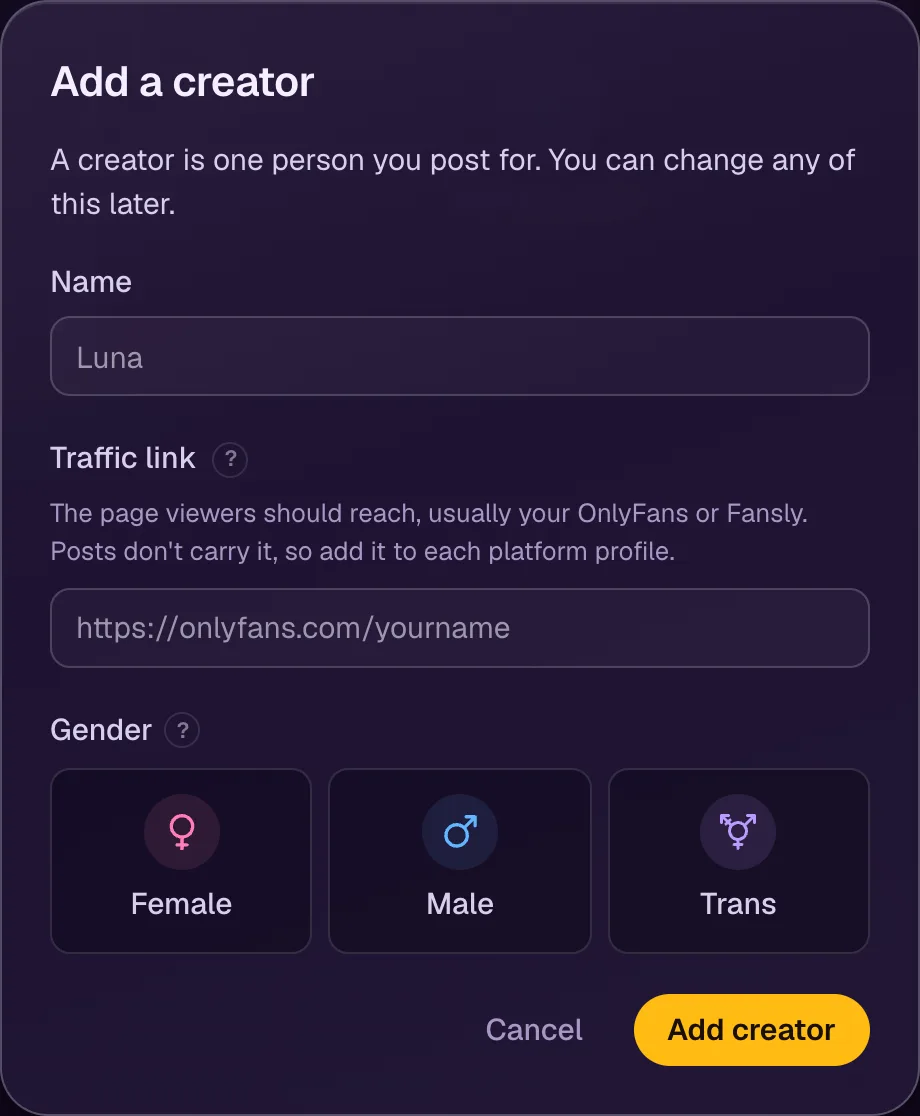
A creator is the person you post for. Open Creators, then Add creator, and fill in:
- Name: how the creator appears in WizeClip.
- Traffic link: the page you want viewers to reach, usually the creator's OnlyFans or Fansly page. You can add it later.
- Gender: female, male or trans. Some platforms file every post this way, and WizeClip fills it in for you.
The four setup steps
A new creator's page lists what is left before the first clips can go out, in the order it has to be done:
- Add a proxy. Every platform signs the creator in and posts through it, so the platforms stay locked until there is one.
- Connect the platforms.
- Add a traffic link, if you skipped it.
- Upload a video. This one can be done at any time, even first: cutting needs no proxy and no platform.