
Creator preferences
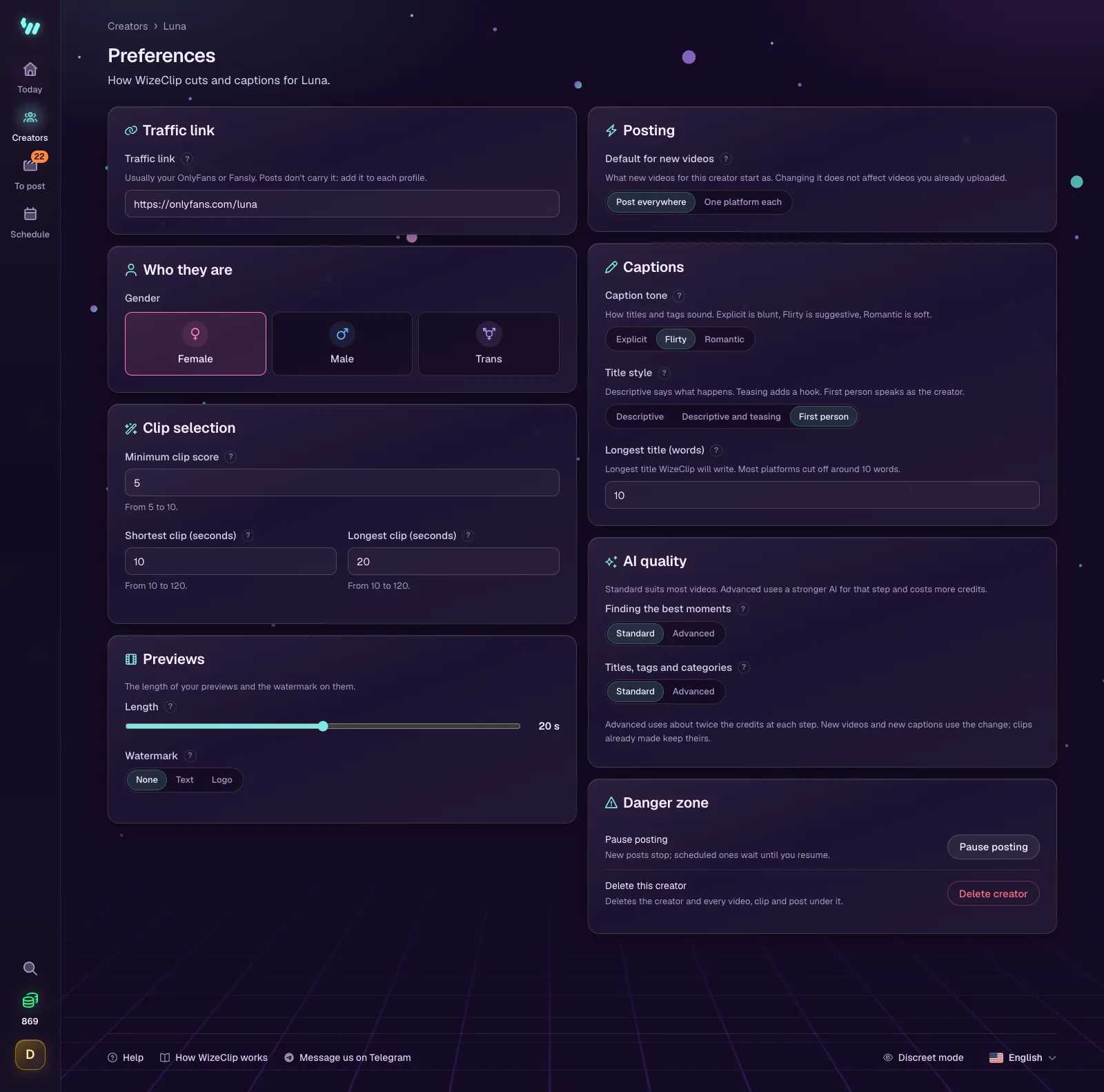
Each creator has one Preferences page: the traffic link, which moments become clips, how new videos post, and how titles and tags sound.
Open a creator, then Preferences. Every change is saved as you make it. Clip and caption settings apply to the videos you upload from then on.
Traffic link
The page you want viewers to reach, usually the creator's OnlyFans or Fansly page. WizeClip keeps it with the creator, but the posts do not carry it: put the link on the creator's profile on each platform, where viewers look after a clip. WizeClip does not shorten the link or count clicks. To see which platform sends subscribers, give each platform its own OnlyFans tracking link.
Who they are
Female, male or trans. Some platforms file every post this way, and WizeClip fills it in for you.
Clip selection
- Minimum clip score: moments scored below this are never cut. 6 is a good default; 8 keeps only the best.
- Shortest clip and Longest clip, in seconds: shorter clips are discarded and longer ones trimmed. Most platforms do badly with clips under 8 seconds.
Previews
A preview is a short cut of a video's best moments, made from its clips, to download and use as you like. WizeClip never posts it. You make one on the video's page: see Make a preview.
- Length: 10 to 30 seconds. The next preview starts from the length you chose last.
- Watermark is None, Text or Logo: the creator's name or logo on their previews, so a copy leads back to them. The clips WizeClip posts never carry it.
- Text and Font, for a text watermark: the words, and the font they are written in.
- Logo: a PNG or JPG picture. A PNG with a see-through background looks best.
- Where, Size and See-through: which of nine places it stands in, how big it is, and how much of the video shows through it.
- Movement is Stays in place or Moves every few seconds. A watermark that moves is harder to cut out of a copy.
New previews use what you set here. On the free plan the card is locked, with Choose a plan.
Posting
Default for new videos is Post everywhere or One platform each. It sets what new videos start as; videos you already uploaded keep theirs.
Captions
- Caption tone: Explicit is blunt, Flirty is suggestive, Romantic is soft.
- Title style: Descriptive says what happens, Descriptive and teasing adds a hook, First person speaks as the creator.
- Longest title, in words. Most platforms cut titles off at around ten words.
AI quality
Choose Standard or Advanced for each step. Standard suits most videos; Advanced uses a stronger AI and about twice the credits.
- Finding the best moments: the AI that watches each video and scores its moments, to pick the clips.
- Titles, tags and categories: the AI that writes each clip's titles, tags and categories, also when you ask for another.
New videos and new captions use the change; clips already made keep theirs. On the free plan Advanced is locked, and clicking it says which plan includes it.
Danger zone
- Pause posting stops new posts for this creator. Scheduled posts that come due meanwhile wait, then go out ten minutes apart when you resume. Platforms and proxies are kept.
- Delete creator deletes the creator and every video, clip and post under them. This cannot be undone. Posts already on a platform stay there.