
Credits and payments
Plans are sold in hours of video, an hour being 1,000 credits. The hours pay for the AI work, posting is included while a plan is active, and everything is paid in stablecoins.
What uses credits
Scoring a video, cutting its clips and writing their titles and tags use credits, and so does Write another on a clip. Posting and downloading use none. If credits run out, scoring and cutting stop, but posting keeps working while your plan is active, so the clips you post and the ones scheduled still go out.
Plans and extra credits are counted in hours of video. An hour is 1,000 credits: about what one hour of long video takes on the Standard level, from finding its best moments to the titles and tags.
Where they went
Plan and credits, reached from the balance at the bottom of the menu, shows your plan, what is left of this month's credits, your extra credits and a history where each row names the video it paid for.
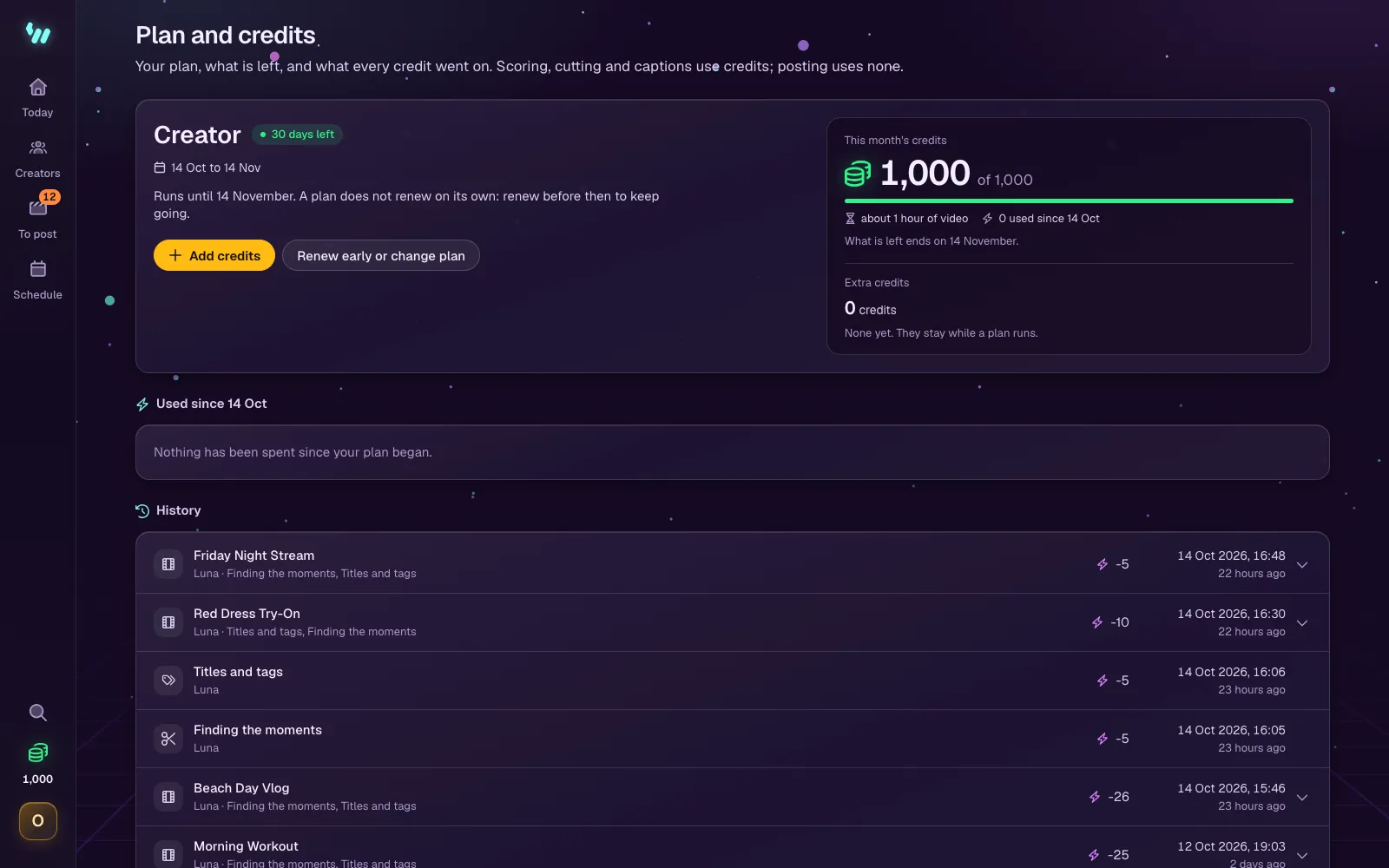
Plans and extra credits
- A paid plan is paid for 1, 3, 6 or 12 months, and the hours of the whole period come at once. They last until the period ends and do not carry over.
- Plans do not renew on their own. WizeClip emails you a few days before the period ends. Renewing before then adds the new period after the current one and keeps a launch price.
- If a period ends without a renewal, everything keeps working for three more days. After that, cutting and posting pause and scheduled posts wait until you renew.
- The free plan's credits are given once, to use within your first month.
- Extra credits add time on top of an active plan. They stay in your account and are used while a plan is active.
The plans and extra credits, with their prices, are on the Pricing page.
Paying
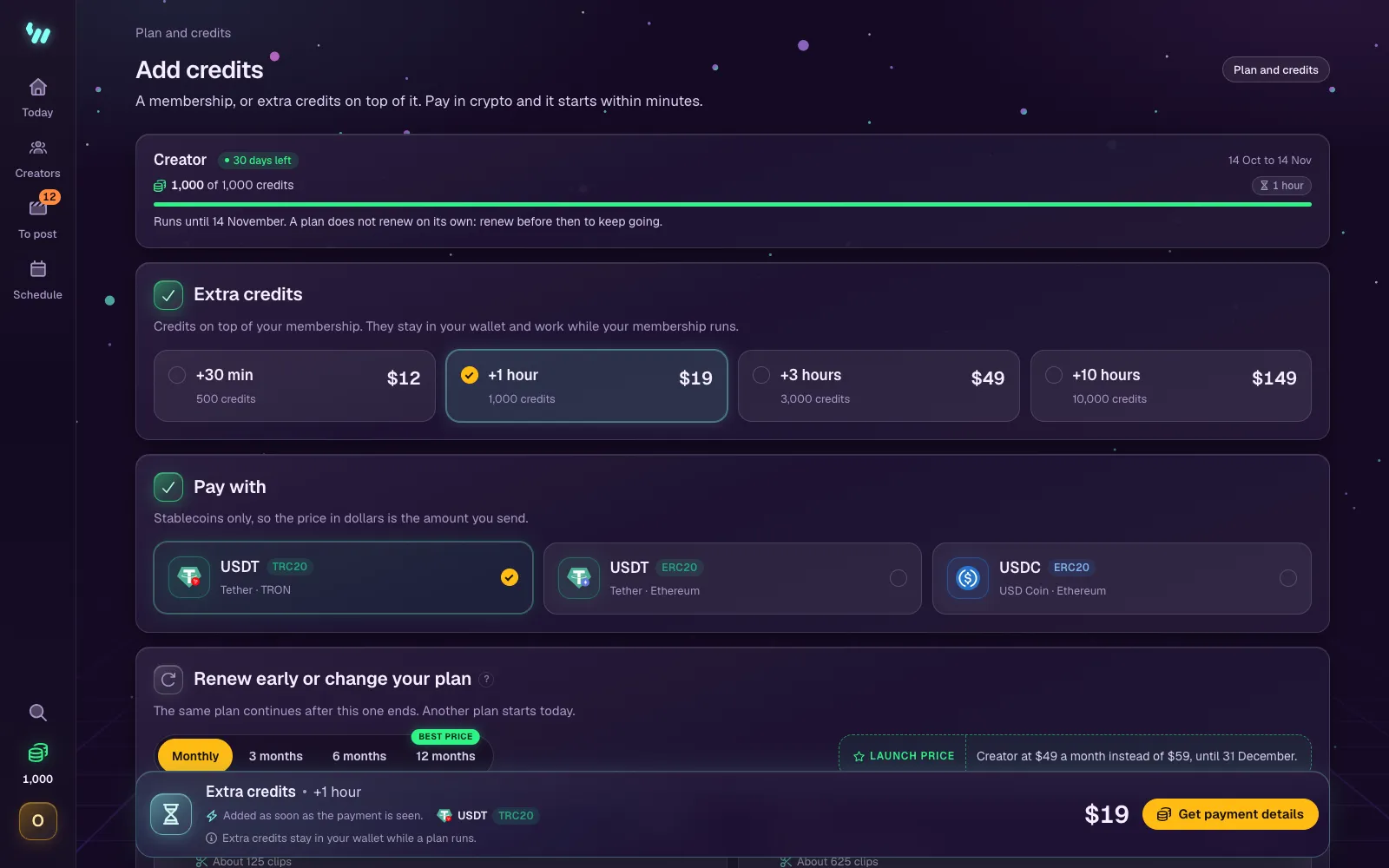
- On Plan and credits, press Add credits. On the free month the button is Choose a plan, and when a plan is ending or has ended, Renew.
- Choose extra credits, or a plan and how many months it covers. With a plan running, renewing early or changing the plan is further down the page.
- Choose the coin and network to pay with. WizeClip takes stablecoins only, so the price in dollars is the amount you send.
- Press Get payment details and send exactly the amount shown, cents included, on the network shown. A different amount is held for review instead of being matched automatically.
- The plan or the credits start within minutes of the payment being seen.
Paying from a wallet on your phone? Switch the payment's code to Phone and scan it: the payment opens on the phone, where the amount and the address copy straight into the wallet.
No crypto yet? Paying with a card shows how to buy some with a card, Apple Pay or Google Pay, and send it.
If something went wrong with a payment, contact us with the transaction ID.