
Proxies
Every platform signs a creator in and posts through one proxy, so they all see one steady address. A creator needs one before any platform can be connected.
A proxy is the internet address a creator signs in and posts from. Every platform sees the creator at that one address, and because each creator has their own, one creator's traffic never mixes with another's. A creator needs a proxy before any platform can be connected. A video can be uploaded and cut without one.
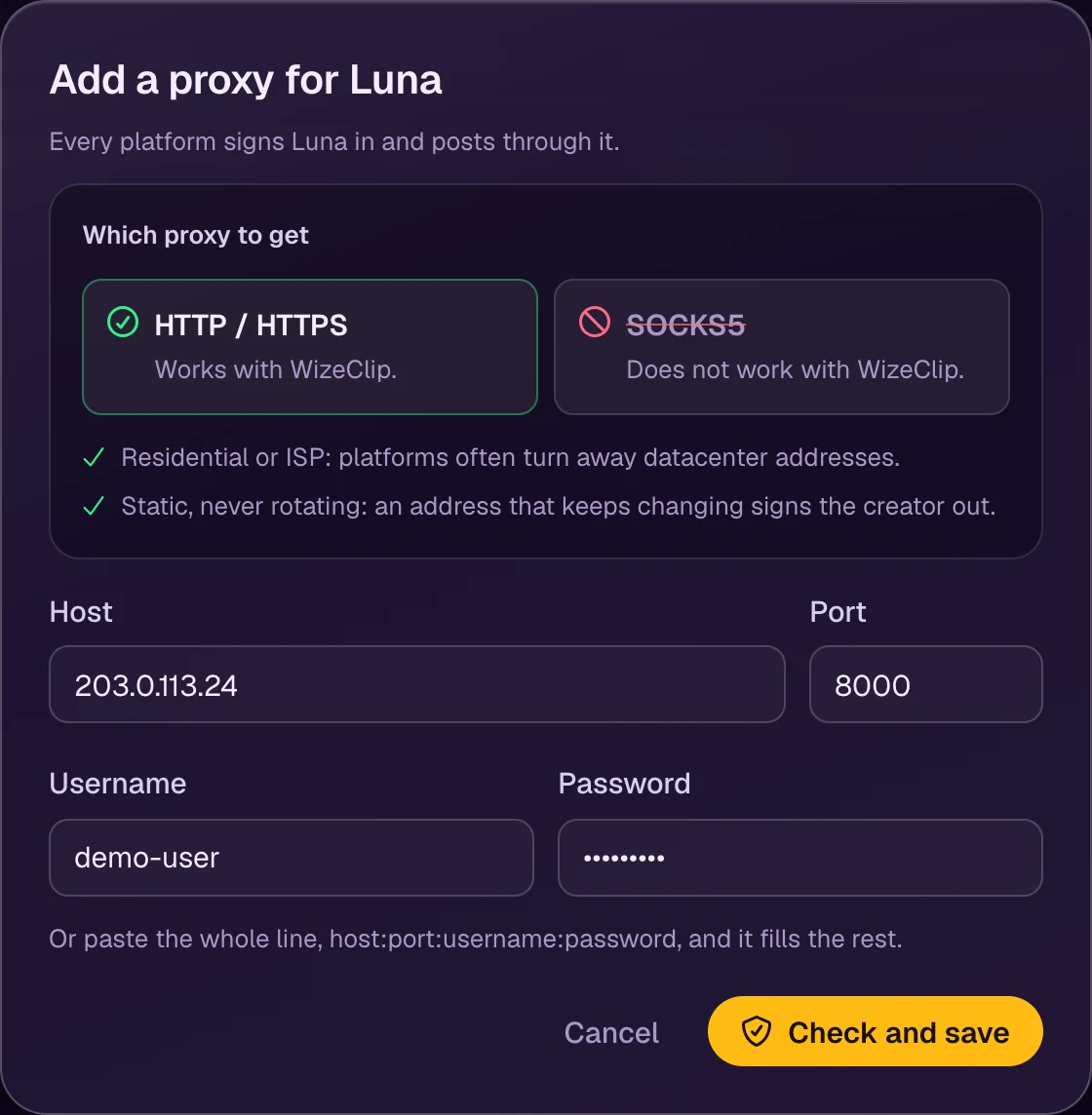
Which proxy to get
- HTTP or HTTPS. Providers often sell the same proxy in both kinds: take HTTP(S). SOCKS5 does not work with WizeClip.
- With a username and password. WizeClip Connect needs them to open its sign-in window through the proxy.
- Residential or ISP, and static. The creator then signs in from the same address every time.
- One for each creator, in the country they post from.
Add a proxy
Open the creator, then Platforms, and choose Add a proxy, or use Add a proxy in the creator's setup. Fill in the host, port, username and password, or paste the whole line your provider gives you, host:port:username:password, into the host field: it fills the rest.
Check and save tests the proxy before saving it, through the same connection posting uses. A proxy that does not answer is not saved, and the dialog says why: a refused password, nothing answering at that address, or a SOCKS5 proxy. The creator's first proxy is put in use at once, and the platforms open.
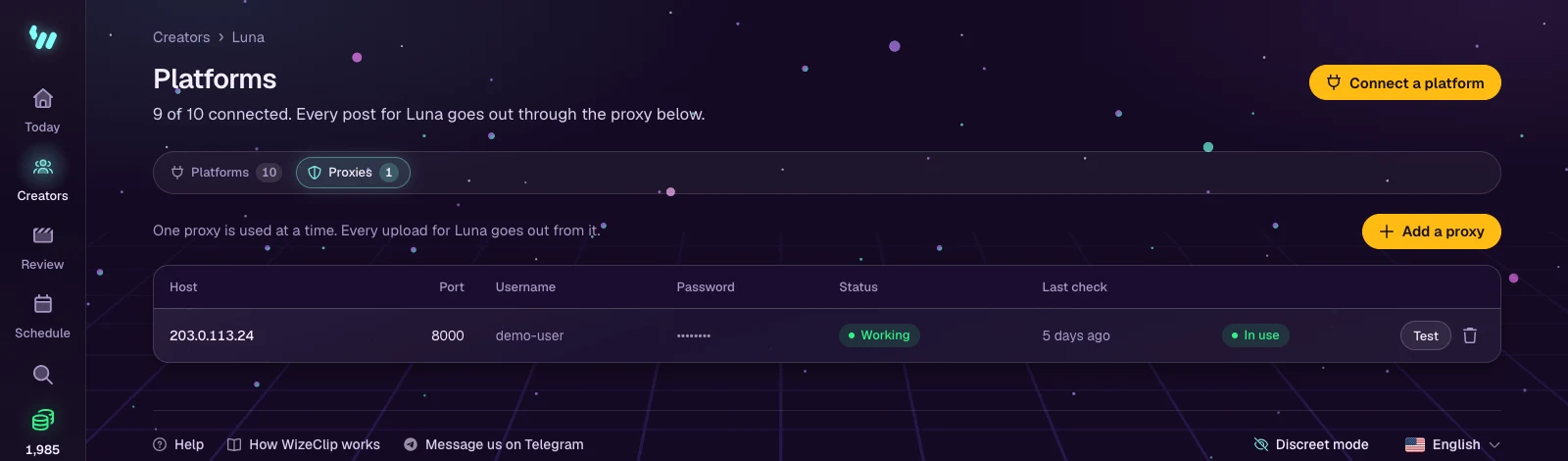
One proxy is in use at a time; any other one is kept as a spare. WizeClip Connect signs in through the same proxy, so the sign-in and the posts come from the same place.
Test it
Test checks that the proxy reaches the internet. The status then reads:
- Working: the last check got through.
- Failing: the last check could not connect. Posts fail until it is fixed or replaced.
- Untested: never checked yet. Run a test before relying on it.
Replace a proxy
Deleting the proxy in use puts a spare in its place. The last proxy of a creator whose platforms are connected cannot be deleted: add the new one first, then delete the old one.